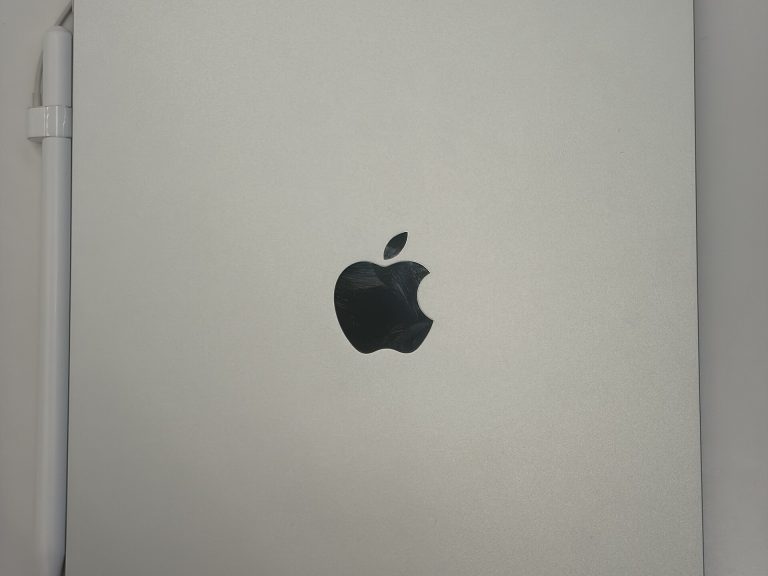
iPad Pro M5 vs Surface Pro 11
In the pro tablet class, the iPad Pro M5 and the Surface Pro 11 are natural rivals. The scorecard favors the Surface Pro 11, which leads in 3 of 5 areas. Its strongest showing is in the memory & storage category.
At a glance
- Display Tie
- Performance Surface Pro 11 wins
- Memory & Storage Surface Pro 11 wins
- Cameras iPad Pro M5 wins
- Battery & Connectivity Surface Pro 11 wins
- Price iPad Pro M5 wins
- Memory & Storage7.5
- Memory & Storage8.3
Spec scores (0 to 10) are calculated from manufacturer specs against other models in the same class. See how the formula works. They are not reviews or user ratings.
Key Differences
-
The iPad Pro M5 has a 15.91 oz lighter build
The iPad Pro M5 clearly leads on weight, and 15.66 oz versus 31.57 oz is a difference that reaches well beyond the spec sheet. Weight matters most when you hold a tablet for long reading or drawing sessions.
-
The Surface Pro 11 has 4 h more rated battery life
On rated battery life, the Surface Pro 11 posts 14 h against 10 h for the iPad Pro M5, a gap big enough to feel in everyday use. More rated hours suggest the Surface Pro 11 goes further on a long flight or a full day of classes.
-
The Surface Pro 11 has 4 GB more RAM
This is one of the widest gaps in the whole comparison: 16 GB for the Surface Pro 11 versus 12 GB for the iPad Pro M5. Pro apps for photo, video and music work lean heavily on memory, so the Surface Pro 11 has more room to breathe.
-
The Surface Pro 11 has a 2-inch larger screen
Numbers like 13 in against 11 in only tell you which is larger (here, the Surface Pro 11), not which is better. Screen size largely decides what kind of tablet this is (a portable reader or a laptop stand-in), so think about where you’ll use it.
-
The iPad Pro M5 has a 0.16 in slimmer body
The Surface Pro 11 lists 0.37 in; the iPad Pro M5 comes in at 0.21 in. That’s not a rounding error. Thickness sometimes buys battery or cooling, so the Surface Pro 11’s extra depth isn’t automatically a flaw.
Design & Size
- iPad Pro M5 9.83 in × 6.99 in × 0.21 in
- Surface Pro 11 11.30 in × 8.23 in × 0.37 in
The Surface Pro 11 simply takes up more room than the iPad Pro M5, whether that’s on a desk, in a bag or in a parking space. The Surface Pro 11 is 15.91 oz heavier than the iPad Pro M5. If a thin profile matters to you, the iPad Pro M5 is 0.16 in slimmer.
Design & Build
| Spec | iPad Pro M5 | Surface Pro 11 |
|---|---|---|
| Height | 9.83 in | 11.30 in |
| Width | 6.99 in | 8.23 in |
| Thickness | 0.21 in (winner) | 0.37 in Thickest in class |
| Weight | 15.66 oz (winner) | 31.57 oz Heaviest in class |
Display
Too close to call
Call the display round a draw. Bottom line for display: it’s a wash.
Screen size
iPad Pro M5: 11 in Surface Pro 11: 13 in A bigger screen gives you more room for split-screen apps, documents and movies, while a smaller one is easier to hold and carry.
Performance
Surface Pro 11 leads
Slight edge to the Surface Pro 11 on performance. Most buyers could live happily with either. The Surface Pro 11 answers with 1 more CPU cores. For browsing and streaming, core count rarely matters; for creative work, the Surface Pro 11’s extra cores give more headroom. The takeaway: on performance, the Surface Pro 11 is the stronger tablet.
CPU cores
iPad Pro M5: 9 Surface Pro 11: 10 Core count is only part of the picture, since chip design and clock speeds also shape performance.
Memory & Storage
Surface Pro 11 leads
In the memory & storage category, the Surface Pro 11 isn’t just ahead; it’s clearly ahead. The Surface Pro 11 delivers 4 GB more RAM. More RAM lets a tablet keep more apps and browser tabs active, which matters for split-screen multitasking. The iPad Pro M5 has the edge with a bigger top storage option. Net result: the Surface Pro 11 leads this part of the comparison.
RAM
iPad Pro M5: 12 GB Surface Pro 11: 16 GB Extra memory also helps a tablet stay usable as apps grow heavier over the years.
Max storage
iPad Pro M5: 2 TB Surface Pro 11: 1 TB A bigger top storage option matters for people who keep large video projects or media libraries on the device.
Accessories & Productivity
For accessories & productivity, the spec sheet lists components and formats rather than figures we can rank. The table shows what the iPad Pro M5 and the Surface Pro 11 each bring.
Cameras
iPad Pro M5 leads
The Surface Pro 11 keeps it close on cameras, yet the iPad Pro M5 holds a small lead. The iPad Pro M5 stands out with a sharper 12 MP rear camera. A sharper rear camera helps with scanning documents, whiteboards and receipts. If this section decides it for you, choose the iPad Pro M5.
Rear camera
iPad Pro M5: 12 MP Surface Pro 11: 10 MP Few people shoot holiday photos on a tablet, but the iPad Pro M5’s higher resolution makes quick captures and scans cleaner.
Battery & Connectivity
Surface Pro 11 leads
Look at the battery & connectivity table and one name keeps coming out on top: the Surface Pro 11. The Surface Pro 11 pulls ahead with 4 h more rated battery life. Ratings are usually based on light tasks like video playback, so heavier use will shorten both. If battery & connectivity is your priority, the Surface Pro 11 is the tablet to pick.
Rated battery life
iPad Pro M5: 10 h Surface Pro 11: 14 h Rated battery life is the manufacturer’s own figure, so it already reflects efficiency, not just battery size.
Full Specifications
Display
| Spec | iPad Pro M5 | Surface Pro 11 |
|---|---|---|
| Screen size | 11 in | 13 in |
| Panel type | Ultra Retina XDR (tandem OLED) | PixelSense Flow (LCD; OLED optional) |
| Resolution | 2420 x 1668 | 2880 x 1920 |
| Pixel density | 264 ppi | 267 ppi Sharpest screen in class |
| Refresh rate | 120 Hz | 120 Hz |
| Peak brightness (SDR) | 1,000 nits | N/A (not specified) |
| Fully laminated display | Yes | N/A (not specified) |
Performance
| Spec | iPad Pro M5 | Surface Pro 11 |
|---|---|---|
| Chip | M5 | Snapdragon X Plus |
| CPU cores | 9 | 10 (winner) Most CPU cores |
| GPU cores | 10 | N/A (not specified) |
Memory & Storage
| Spec | iPad Pro M5 | Surface Pro 11 |
|---|---|---|
| RAM | 12 GB | 16 GB (winner) Most RAM in class |
| Base storage | 256 GB | 256 GB |
| Max storage | 2 TB (winner) | 1 TB Smallest top storage |
Accessories & Productivity
| Spec | iPad Pro M5 | Surface Pro 11 |
|---|---|---|
| Stylus support | Apple Pencil Pro, Apple Pencil (USB-C) | Surface Slim Pen (sold separately) |
| Keyboard accessory | Magic Keyboard for iPad Pro (M4) | Surface Pro Keyboard / Flex Keyboard (sold separately) |
| OS at launch | iPadOS 26 | Windows 11 Home |
Cameras
| Spec | iPad Pro M5 | Surface Pro 11 |
|---|---|---|
| Rear camera | 12 MP (winner) | 10 MP Lowest-res rear camera |
| Front camera | 12 MP | N/A (not specified) |
| Front camera position | Landscape edge | N/A (not specified) |
Battery & Connectivity
| Spec | iPad Pro M5 | Surface Pro 11 |
|---|---|---|
| Battery | 31.3 Wh | N/A (not specified) |
| Rated battery lifeManufacturer rating | 10 h | 14 h (winner) Longest rated battery life |
| Port | USB-C (Thunderbolt / USB 4) | 2x USB4 (USB-C), Surface Connect |
| Cellular option | Yes | N/A (not specified) |
| Wi-Fi | Wi-Fi 7 | Wi-Fi 7 |
Design & Build
| Spec | iPad Pro M5 | Surface Pro 11 |
|---|---|---|
| Height | 9.83 in | 11.30 in |
| Width | 6.99 in | 8.23 in |
| Thickness | 0.21 in (winner) | 0.37 in Thickest in class |
| Weight | 15.66 oz (winner) | 31.57 oz Heaviest in class |
Price
| Spec | iPad Pro M5 | Surface Pro 11 |
|---|---|---|
| Launch price | $999 | $1,000 |
“N/A” means the manufacturer does not specify the value or we could not confirm it. Figures marked “manufacturer rating” are the maker’s own claims, not our measurements.
Price & Value
The launch prices are close, with the iPad Pro M5 just $1 below the Surface Pro 11. The iPad Pro M5 saves $1, but the Surface Pro 11 answers with 4 h more rated battery life and 4 GB more RAM.
All prices are official US launch prices, last checked October 2025. Actual prices at stores may differ.
Which One Should You Buy?
Choose the iPad Pro M5 if…
- you often hold your tablet in one hand for long stretches (15.66 oz vs 31.57 oz)
- you want the slimmer tablet (0.21 in vs 0.37 in)
- you work with big files and want the larger top option (2 TB vs 1 TB)
- you scan documents or snap photos with your tablet (12 MP vs 10 MP rear camera)
- you want the lower price and can live with the trade-offs ($1 less)
Choose the Surface Pro 11 if…
- you want the longer rated battery life (14 h vs 10 h)
- you want more memory headroom for pro apps (16 GB vs 12 GB)
- you run demanding apps or heavy multitasking (10 vs 9 CPU cores)
Also Compared
Frequently Asked Questions
Which is better for most people, the iPad Pro M5 or the Surface Pro 11?
The Surface Pro 11 makes more sense overall. Consider the alternative only if having a 15.91 oz lighter build matters more to you than the rest.
Does the iPad Pro M5 last longer on a charge than the Surface Pro 11?
The Surface Pro 11 comes out ahead on rated battery life, with 14 h compared with 10 h on the iPad Pro M5.
Which is larger, the iPad Pro M5 or the Surface Pro 11?
The Surface Pro 11 is the larger of the two. It measures 11.30 × 8.23 × 0.37 in, compared with 9.83 × 6.99 × 0.21 in for the iPad Pro M5.
Does the iPad Pro M5 perform better than the Surface Pro 11?
On paper, the Surface Pro 11 is the stronger performer, with 1 more CPU cores.
Does the iPad Pro M5 have a stronger camera setup than the Surface Pro 11?
The iPad Pro M5 leads on camera specs thanks to a sharper 12 MP rear camera. Processing and personal taste also play a big part in photos.
Which costs less, the iPad Pro M5 or the Surface Pro 11?
At launch, the iPad Pro M5 undercut the Surface Pro 11 by $1. These figures are as of October 2025, and street prices can change.
Executive Summary
I’ll be upfront: I have no stake in whether you buy Apple or Microsoft. I only care that you end up with the right one of the iPad Pro M5 and the Surface Pro 11. The Surface Pro 11 wins me over with 4 h more rated battery life. Secondary, but worth mentioning: the Surface Pro 11 has 4 GB more RAM. The iPad Pro M5 has a trump card of its own in a 15.91 oz lighter build.
I’d steer cameras fans toward the iPad Pro M5 and performance fans toward the Surface Pro 11.
My pick: the Surface Pro 11 is the sensible default. Only one thing changes that: if you’d rather have a 15.91 oz lighter build on the iPad Pro M5.
Personal opinion based on the data above. Your priorities may differ.