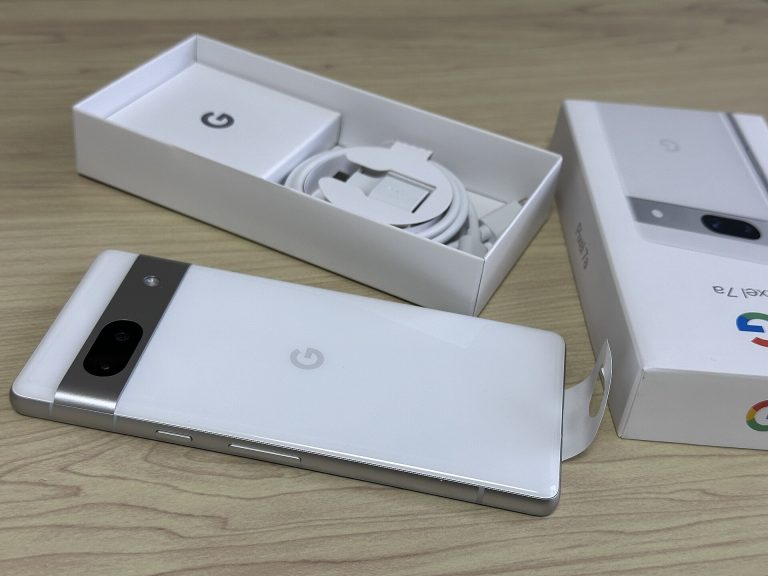
Pixel 7a vs Pixel 9a
A single brand, two separate lines: Google covers this space with both the Pixel 7a and the Pixel 9a. Across 6 compared areas, the Pixel 9a takes 4. The widest gap shows up under battery & charging.
At a glance
- Display Pixel 9a wins
- Performance Pixel 9a wins
- Memory & Storage Tie
- Camera Pixel 7a wins
- Battery & Charging Pixel 9a wins
- Software & Updates Pixel 9a wins
- Price Tie
- Display6.7
- Camera7.5
- Battery & Charging0.0
- Display9.1
- Camera6.2
- Battery & Charging5.5
Spec scores (0 to 10) are calculated from manufacturer specs against other models in the same class. See how the formula works. They are not reviews or user ratings.
Key Differences
-
The Pixel 9a has 4 years of extra promised updates
For promised os updates, the Pixel 9a leads by a wide margin: 7 years versus 3 years. The Pixel 9a’s longer software support can also help its resale value later on.
-
The Pixel 9a has a 120 Hz display instead of 90 Hz
This is a headline difference. With 120 Hz to the Pixel 7a’s 90 Hz, the Pixel 9a has a lead that’s easy to see on paper and in practice. Smoother motion is one of the most visible display upgrades, and adaptive high-refresh panels can slow down on static content to save power.
-
The Pixel 9a has 16% more battery capacity
Put simply, the Pixel 9a is far ahead here: 5,100 mAh compared with 4,385 mAh. A bigger battery usually means longer days between charges, although chip efficiency and screen size also shape real endurance.
-
The Pixel 7a has a higher-resolution 64 MP main camera
The Pixel 7a’s 64 MP leaves the Pixel 9a’s 48 MP well behind, so if this spec matters to you, the choice is easy. Megapixels are only one part of image quality, so treat this as a sign of detail potential, not a verdict on photos.
-
The Pixel 9a has a 0.26 oz lighter build
The Pixel 9a has a modest edge on weight: 6.56 oz against 6.83 oz for the Pixel 7a. Weight shows up every time you hold the phone above your face in bed or type one-handed for a long stretch.
Design & Size
- Pixel 7a 5.98 in × 2.87 in × 0.35 in
- Pixel 9a 6.09 in × 2.89 in × 0.35 in
Their dimensions are close enough that size should be one of the last things you weigh. Weight-conscious buyers will note the Pixel 9a’s 0.26 oz advantage.
Design & Build
| Spec | Pixel 7a | Pixel 9a |
|---|---|---|
| Height | 5.98 in | 6.09 in |
| Width | 2.87 in | 2.89 in |
| Thickness | 0.35 in Thickest in class | 0.35 in |
| Weight | 6.83 oz | 6.56 oz (winner) |
| Water & dust rating | IP67 | IP68 (winner) |
| Frame | Aluminum | Aluminum |
Display
Pixel 9a leads
The Pixel 7a is outclassed on display; the Pixel 9a leads by a clear margin. On its side, the Pixel 9a has a 120 Hz display instead of 90 Hz. A higher refresh rate makes scrolling, animations and games look smoother. Once you’re used to it, a lower-rate screen can feel sluggish by comparison. Prioritize display, and the Pixel 9a is where you should land.
Refresh rate
Pixel 7a: 90 Hz Pixel 9a: 120 Hz You notice refresh rate every time you scroll a feed or a web page, which is why the Pixel 9a feels more fluid in everyday use.
Screen size
Pixel 7a: 6.1 in Pixel 9a: 6.3 in Screen size is personal. If you watch a lot on your phone, the extra area pays off; if you text one-handed on the go, compact is kinder.
Performance
Pixel 9a leads
The Pixel 9a edges the performance section, though the Pixel 7a stays close. The Pixel 9a gives you a newer 4 nm chip process. Process numbers are partly marketing labels these days, so read this as a hint about efficiency rather than a verdict. Net result: the Pixel 9a leads this part of the comparison.
Process node
Pixel 7a: 5 nm Pixel 9a: 4 nm A finer process node generally lets a chip do the same work with less power, which can mean cooler running and better battery life.
Memory & Storage
Too close to call
There’s no meaningful winner in the memory & storage section; the two are too close to separate. Bottom line for memory & storage: it’s a wash.
Camera
Pixel 7a leads
Here the Pixel 7a opens up one of its biggest leads in the comparison. The Pixel 7a makes its case with a higher-resolution 64 MP main camera. The Pixel 7a’s higher-resolution main sensor gives you more room to crop, which helps when you can’t get closer. So if camera tops your list, lean toward the Pixel 7a.
Main camera
Pixel 7a: 64 MP Pixel 9a: 48 MP More megapixels on the main camera allow bigger crops and more detail in good light, but sensor size and processing matter just as much.
Battery & Charging
Pixel 9a leads
Look at the battery & charging table and one name keeps coming out on top: the Pixel 9a. The Pixel 9a answers with 16% more battery capacity. Extra capacity also ages better: after a few years of charge cycles, the Pixel 9a has more headroom left. If battery & charging is your priority, the Pixel 9a is the phone to pick.
Battery capacity
Pixel 7a: 4,385 mAh Pixel 9a: 5,100 mAh Capacity isn’t everything, but when two phones are otherwise close, more milliamp-hours is the simplest endurance advantage there is.
Wired charging
Pixel 7a: 18 W Pixel 9a: 23 W Faster wired charging means a short top-up before you head out goes further.
Software & Updates
Pixel 9a leads
This section belongs to the Pixel 9a. In software & updates, it leads the Pixel 7a by a margin that’s hard to ignore. The Pixel 9a steps ahead thanks to 4 years of extra promised updates. A longer update promise keeps the phone secure and current for longer, which matters if you keep devices for several years. That makes the Pixel 9a the natural choice for buyers focused on software & updates.
Promised OS updates
Pixel 7a: 3 years Pixel 9a: 7 years Software support is what separates a phone that ages gracefully from one that doesn’t, making it one of the most practical lines on the spec sheet.
Full Specifications
Display
| Spec | Pixel 7a | Pixel 9a |
|---|---|---|
| Screen size | 6.1 in | 6.3 in |
| Panel type | OLED | OLED (Actua) |
| Resolution | 2400 x 1080 | 2424 x 1080 |
| Pixel density | 429 ppi | 422 ppi |
| Refresh rate | 90 Hz | 120 Hz (winner) |
| Peak brightness | N/A (not specified) | 2,700 nits |
| Always-on display | Yes | Yes |
Performance
| Spec | Pixel 7a | Pixel 9a |
|---|---|---|
| Chipset | Google Tensor G2 | Google Tensor G4 |
| CPU cores | 8 | 8 |
| Process node | 5 nm | 4 nm (winner) |
| RAM | 8 GB | 8 GB |
Memory & Storage
| Spec | Pixel 7a | Pixel 9a |
|---|---|---|
| Base storage | 128 GB | 128 GB |
| Max storage | N/A (not specified) | 256 GB |
| microSD slot | No | No |
Camera
| Spec | Pixel 7a | Pixel 9a |
|---|---|---|
| Main camera | 64 MP (winner) | 48 MP |
| Ultra-wide camera | 13 MP | 13 MP |
| Rear cameras | 2 | 2 |
| Front camera | 13 MP | 13 MP |
| Max video | 4K60 | 4K60 |
Battery & Charging
| Spec | Pixel 7a | Pixel 9a |
|---|---|---|
| Battery capacity | 4,385 mAh Smallest battery in class | 5,100 mAh (winner) |
| Wired charging | 18 W | 23 W (winner) |
| Wireless charging | 8 W | 8 W |
| Port | USB-C | USB-C |
Software & Updates
| Spec | Pixel 7a | Pixel 9a |
|---|---|---|
| OS at launch | Android 13 | Android 15 |
| Promised OS updatesManufacturer commitment | 3 years | 7 years (winner) |
Design & Build
| Spec | Pixel 7a | Pixel 9a |
|---|---|---|
| Height | 5.98 in | 6.09 in |
| Width | 2.87 in | 2.89 in |
| Thickness | 0.35 in Thickest in class | 0.35 in |
| Weight | 6.83 oz | 6.56 oz (winner) |
| Water & dust rating | IP67 | IP68 (winner) |
| Frame | Aluminum | Aluminum |
Price
| Spec | Pixel 7a | Pixel 9a |
|---|---|---|
| Launch price | $499 | $499 |
“N/A” means the manufacturer does not specify the value or we could not confirm it. Figures marked “manufacturer rating” are the maker’s own claims, not our measurements.
Price & Value
With matching launch prices, you’re choosing purely on what each one offers.
Based on US launch pricing as of March 2025. Deals and regional pricing can change the picture.
Which One Should You Buy?
Choose the Pixel 7a if…
- you like to crop into your photos (64 MP vs 48 MP main camera)
- you rarely use the areas where the newer model improves
Choose the Pixel 9a if…
- you plan to keep your phone for years (7 years vs 3 years of promised updates)
- you want smoother scrolling (120 Hz vs 90 Hz)
- you want the bigger battery (5,100 mAh vs 4,385 mAh)
- you notice every gram in your pocket (6.56 oz vs 6.83 oz)
- you want the changes the Pixel 9a brings over its predecessor
Also Compared
Frequently Asked Questions
Which is better for most people, the Pixel 7a or the Pixel 9a?
We’d point most buyers to the Pixel 9a. The main exception is if you know that a higher-resolution 64 MP main camera would make a real difference in your routine.
Should I upgrade from the Pixel 7a to the Pixel 9a?
For most owners, it’s a meaningful step. The Pixel 9a brings 4 years of extra promised updates, a 120 Hz display instead of 90 Hz and 16% more battery capacity over the Pixel 7a.
Does the Pixel 7a last longer on a charge than the Pixel 9a?
On paper, the Pixel 9a has the edge: 5,100 mAh of battery capacity against 4,385 mAh for the Pixel 7a. Real-world results also depend on how you use it.
Is the Pixel 7a bigger than the Pixel 9a?
Size is essentially a tie. The official dimensions of the Pixel 7a and the Pixel 9a differ only marginally.
Which is faster, the Pixel 7a or the Pixel 9a?
On paper, the Pixel 9a is the stronger performer, with a newer 4 nm chip process.
Which has the better camera, the Pixel 7a or the Pixel 9a?
On paper, the Pixel 7a has the stronger camera setup, with a higher-resolution 64 MP main camera.
Executive Summary
If you’ve settled on this lineup, the Pixel 7a or the Pixel 9a is the last call to make. Here’s mine. My main argument for the Pixel 9a? It comes with 4 years of extra promised updates. A second reason: the Pixel 9a comes with a 120 Hz display instead of 90 Hz. That said, the Pixel 7a answers with a higher-resolution 64 MP main camera, which some people will value more.
Your priorities do the choosing here: camera points to the Pixel 7a, display to the Pixel 9a.
My pick: the Pixel 9a is the one I’d buy, unless you care more about a higher-resolution 64 MP main camera than anything else.
Personal opinion based on the data above. Your priorities may differ.