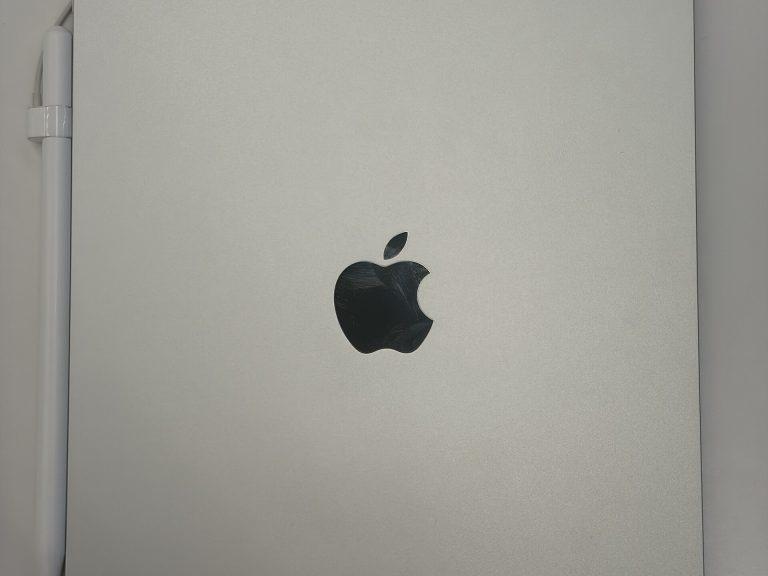
iPad Pro M5 13-inch vs Surface Pro 11
If you’re shopping for a tablet in the pro tablet class, the iPad Pro M5 13-inch and the Surface Pro 11 are likely both on your shortlist. The scorecard favors the Surface Pro 11, which leads in 3 of 5 areas. Its strongest showing is in the memory & storage category. There’s also a launch price gap of $299 in favor of the Surface Pro 11.
At a glance
- Display Tie
- Performance Surface Pro 11 wins
- Memory & Storage Surface Pro 11 wins
- Cameras iPad Pro M5 13-inch wins
- Battery & Connectivity Surface Pro 11 wins
- Price Surface Pro 11 wins
- Memory & Storage7.5
- Memory & Storage8.3
Spec scores (0 to 10) are calculated from manufacturer specs against other models in the same class. See how the formula works. They are not reviews or user ratings.
Key Differences
-
The Surface Pro 11 has 4 h more rated battery life
Not a close call. The Surface Pro 11 lists 14 h and the iPad Pro M5 13-inch lists 10 h. That’s a substantial gap. Rated battery life is the manufacturer’s own figure, so it already reflects efficiency, not just battery size.
-
The Surface Pro 11 has 4 GB more RAM
Among all the differences on this page, 16 GB against 12 GB is one of the most meaningful, and it favors the Surface Pro 11. More RAM lets a tablet keep more apps and browser tabs active, which matters for split-screen multitasking.
-
The iPad Pro M5 13-inch has an 11.15 oz lighter build
The Surface Pro 11 gives up a lot on weight: 31.57 oz, compared with 20.42 oz on the iPad Pro M5 13-inch. The iPad Pro M5 13-inch is easier to hold one-handed, especially in bed or on public transport.
-
The iPad Pro M5 13-inch has a 0.17 in slimmer body
Few buyers will miss this one. The iPad Pro M5 13-inch brings 0.20 in to the table; the Surface Pro 11 brings 0.37 in. A slimmer tablet is easier to slip into a bag and feels more elegant in the hand.
-
The iPad Pro M5 13-inch has a bigger top storage option
When it comes to max storage, the iPad Pro M5 13-inch wins comfortably with 2 TB against 1 TB. A bigger top storage option matters for people who keep large video projects or media libraries on the device.
Design & Size
- iPad Pro M5 13-inch 11.09 in × 8.48 in × 0.20 in
- Surface Pro 11 11.30 in × 8.23 in × 0.37 in
The official dimensions put the iPad Pro M5 13-inch and the Surface Pro 11 within a whisker of each other. The iPad Pro M5 13-inch undercuts the Surface Pro 11 by 11.15 oz on weight. Thickness goes to the iPad Pro M5 13-inch, with an advantage of 0.17 in.
Design & Build
| Spec | iPad Pro M5 13-inch | Surface Pro 11 |
|---|---|---|
| Height | 11.09 in | 11.30 in |
| Width | 8.48 in | 8.23 in |
| Thickness | 0.20 in (winner) Slimmest in class | 0.37 in Thickest in class |
| Weight | 20.42 oz (winner) | 31.57 oz Heaviest in class |
Display
Too close to call
On display, the iPad Pro M5 13-inch and the Surface Pro 11 are effectively level. Either tablet will serve you equally well on display.
Performance
Surface Pro 11 leads
On performance, the difference is modest, and it favors the Surface Pro 11. Choose the Surface Pro 11 and you get 1 more CPU cores. For browsing and streaming, core count rarely matters; for creative work, the Surface Pro 11’s extra cores give more headroom. Weighing only performance, the Surface Pro 11 comes out ahead.
CPU cores
iPad Pro M5 13-inch: 9 Surface Pro 11: 10 More CPU cores help when you run several demanding apps at once or export large files.
Memory & Storage
Surface Pro 11 leads
The Surface Pro 11 clearly takes the memory & storage round. The Surface Pro 11 answers with 4 GB more RAM. Pro apps for photo, video and music work lean heavily on memory, so the Surface Pro 11 has more room to breathe. The iPad Pro M5 13-inch comes with a bigger top storage option. In short, the Surface Pro 11 is the better-equipped tablet for memory & storage.
RAM
iPad Pro M5 13-inch: 12 GB Surface Pro 11: 16 GB Extra memory also helps a tablet stay usable as apps grow heavier over the years.
Max storage
iPad Pro M5 13-inch: 2 TB Surface Pro 11: 1 TB The iPad Pro M5 13-inch can be configured with more room, which suits heavy creative work.
Accessories & Productivity
The iPad Pro M5 13-inch and the Surface Pro 11 differ on accessories & productivity in ways that are described rather than measured. The table has the details.
Cameras
iPad Pro M5 13-inch leads
The iPad Pro M5 13-inch takes cameras by a nose. On its side, the iPad Pro M5 13-inch has a sharper 12 MP rear camera. Rear cameras on tablets are mostly utility tools, so treat this as a small bonus. If this section decides it for you, choose the iPad Pro M5 13-inch.
Rear camera
iPad Pro M5 13-inch: 12 MP Surface Pro 11: 10 MP Few people shoot holiday photos on a tablet, but the iPad Pro M5 13-inch’s higher resolution makes quick captures and scans cleaner.
Battery & Connectivity
Surface Pro 11 leads
The battery & connectivity numbers point firmly in one direction: toward the Surface Pro 11. The Surface Pro 11 adds 4 h more rated battery life. More rated hours suggest the Surface Pro 11 goes further on a long flight or a full day of classes. For anyone who cares most about battery & connectivity, the Surface Pro 11 is the safer choice.
Rated battery life
iPad Pro M5 13-inch: 10 h Surface Pro 11: 14 h Ratings are usually based on light tasks like video playback, so heavier use will shorten both.
Full Specifications
Display
| Spec | iPad Pro M5 13-inch | Surface Pro 11 |
|---|---|---|
| Screen size | 13 in | 13 in |
| Panel type | Ultra Retina XDR (tandem OLED) | PixelSense Flow (LCD; OLED optional) |
| Resolution | 2752 x 2064 | 2880 x 1920 |
| Pixel density | 264 ppi | 267 ppi Sharpest screen in class |
| Refresh rate | 120 Hz | 120 Hz |
| Peak brightness (SDR) | 1,000 nits | N/A (not specified) |
| Fully laminated display | Yes | N/A (not specified) |
Performance
| Spec | iPad Pro M5 13-inch | Surface Pro 11 |
|---|---|---|
| Chip | M5 | Snapdragon X Plus |
| CPU cores | 9 | 10 (winner) Most CPU cores |
| GPU cores | 10 | N/A (not specified) |
Memory & Storage
| Spec | iPad Pro M5 13-inch | Surface Pro 11 |
|---|---|---|
| RAM | 12 GB | 16 GB (winner) Most RAM in class |
| Base storage | 256 GB | 256 GB |
| Max storage | 2 TB (winner) | 1 TB Smallest top storage |
Accessories & Productivity
| Spec | iPad Pro M5 13-inch | Surface Pro 11 |
|---|---|---|
| Stylus support | Apple Pencil Pro, Apple Pencil (USB-C) | Surface Slim Pen (sold separately) |
| Keyboard accessory | Magic Keyboard for iPad Pro (M4) | Surface Pro Keyboard / Flex Keyboard (sold separately) |
| OS at launch | iPadOS 26 | Windows 11 Home |
Cameras
| Spec | iPad Pro M5 13-inch | Surface Pro 11 |
|---|---|---|
| Rear camera | 12 MP (winner) | 10 MP Lowest-res rear camera |
| Front camera | 12 MP | N/A (not specified) |
| Front camera position | Landscape edge | N/A (not specified) |
Battery & Connectivity
| Spec | iPad Pro M5 13-inch | Surface Pro 11 |
|---|---|---|
| Battery | 39 Wh Biggest battery in class | N/A (not specified) |
| Rated battery lifeManufacturer rating | 10 h | 14 h (winner) Longest rated battery life |
| Port | USB-C (Thunderbolt / USB 4) | 2x USB4 (USB-C), Surface Connect |
| Cellular option | Yes | N/A (not specified) |
| Wi-Fi | Wi-Fi 7 | Wi-Fi 7 |
Design & Build
| Spec | iPad Pro M5 13-inch | Surface Pro 11 |
|---|---|---|
| Height | 11.09 in | 11.30 in |
| Width | 8.48 in | 8.23 in |
| Thickness | 0.20 in (winner) Slimmest in class | 0.37 in Thickest in class |
| Weight | 20.42 oz (winner) | 31.57 oz Heaviest in class |
Price
| Spec | iPad Pro M5 13-inch | Surface Pro 11 |
|---|---|---|
| Launch price | $1,299 Priciest in class | $1,000 (winner) |
“N/A” means the manufacturer does not specify the value or we could not confirm it. Figures marked “manufacturer rating” are the maker’s own claims, not our measurements.
Price & Value
The Surface Pro 11 undercut the iPad Pro M5 13-inch by $299 at launch, which works out to 30%. The iPad Pro M5 13-inch asks $299 more without winning more areas, which tilts value firmly toward the Surface Pro 11.
All prices are official US launch prices, last checked October 2025. Actual prices at stores may differ.
Which One Should You Buy?
Choose the iPad Pro M5 13-inch if…
- you often hold your tablet in one hand for long stretches (20.42 oz vs 31.57 oz)
- you slip your tablet into tight bags and sleeves (0.20 in vs 0.37 in)
- you need a high-capacity version (2 TB vs 1 TB maximum)
- you want the sharper rear camera (12 MP vs 10 MP)
Choose the Surface Pro 11 if…
- you travel a lot and watch on long trips (14 h vs 10 h rated)
- you multitask with split screens and many apps (16 GB vs 12 GB of RAM)
- you want more processing muscle (10 vs 9 cores)
- you don’t need the extras that cost $299 more
Also Compared
Frequently Asked Questions
Should I buy the iPad Pro M5 13-inch or the Surface Pro 11?
The Surface Pro 11 wins more of the areas we compared, so it’s the safer pick unless you value an 11.15 oz lighter build above everything else.
Which has better battery life, the iPad Pro M5 13-inch or the Surface Pro 11?
The Surface Pro 11 does better here. It lists 14 h for rated battery life, while the iPad Pro M5 13-inch lists 10 h.
Which is larger, the iPad Pro M5 13-inch or the Surface Pro 11?
Neither by much. The iPad Pro M5 13-inch and the Surface Pro 11 have nearly identical dimensions.
Does the iPad Pro M5 13-inch perform better than the Surface Pro 11?
Going by the specs, the Surface Pro 11 comes out ahead: it offers 1 more CPU cores.
Does the iPad Pro M5 13-inch have a stronger camera setup than the Surface Pro 11?
On paper, the iPad Pro M5 13-inch has the stronger camera setup, with a sharper 12 MP rear camera.
Is the iPad Pro M5 13-inch cheaper than the Surface Pro 11?
Going by launch prices, the Surface Pro 11 costs $299 less than the iPad Pro M5 13-inch. Prices as of October 2025; current offers may differ.
Executive Summary
Apple makes the iPad Pro M5 13-inch, Microsoft makes the Surface Pro 11, and both want the same spot on your shortlist. Here’s where I land. Here’s what matters most to me: the Surface Pro 11 offers 4 h more rated battery life. Stack 4 GB more RAM on top of that, and the Surface Pro 11’s lead grows. I don’t want to sell the iPad Pro M5 13-inch short, though: it has an 11.15 oz lighter build.
If your days lean on cameras, I’d pick the iPad Pro M5 13-inch; if they lean on performance, the Surface Pro 11.
My pick: the Surface Pro 11, though I’d happily point you to the iPad Pro M5 13-inch if your top priority is an 11.15 oz lighter build.
Personal opinion based on the data above. Your priorities may differ.