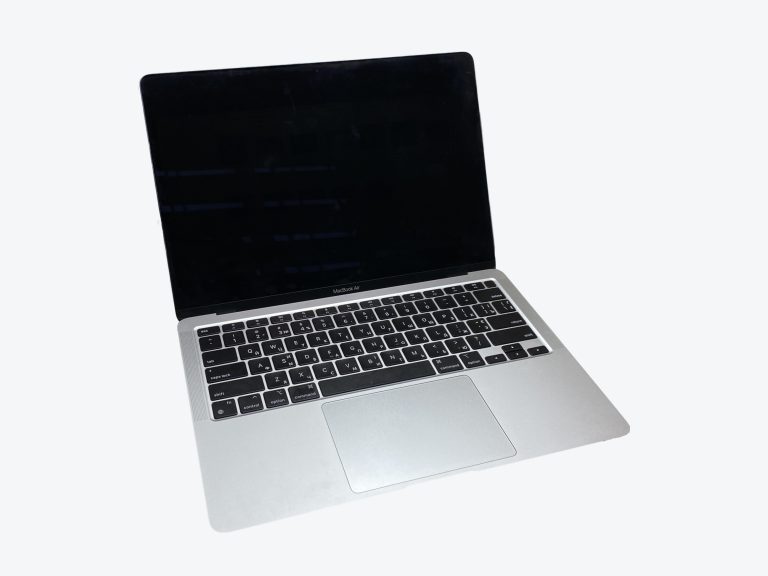
MacBook Air M1 vs MacBook Pro M1
Within this lineup, the MacBook Air M1 and the MacBook Pro M1 are the two models people most often weigh against each other. Look at the scorecard and the MacBook Pro M1 stands out, ahead in 3 of 5 areas. The battery life & charging numbers explain a lot of that. Then there’s the $300 question: that’s how much more the MacBook Pro M1 launched at compared with the MacBook Air M1.
At a glance
- Display MacBook Pro M1 wins
- Performance MacBook Pro M1 wins
- Memory & Storage Tie
- Battery Life & Charging MacBook Pro M1 wins
- Ports & Connectivity Tie
- Price MacBook Air M1 wins
- Display0.8
- Performance2.4
- Memory & Storage0.5
- Battery Life & Charging1.8
- Display1.5
- Performance2.7
- Memory & Storage0.5
- Battery Life & Charging3.8
Spec scores (0 to 10) are calculated from manufacturer specs against other models in the same class. See how the formula works. They are not reviews or user ratings.
Key Differences
-
The MacBook Pro M1 has 25% higher brightness
Here the MacBook Pro M1 pulls well ahead of the MacBook Air M1, with 500 nits compared to 400 nits. A brighter screen stays readable next to windows, under harsh office lights and outdoors in the shade.
-
The MacBook Pro M1 has 17% more battery capacity
The MacBook Pro M1 doesn’t just edge this one; 58.2 Wh against 49.9 Wh is a lead you’ll feel. Capacity is one of the few battery specs that doesn’t depend on test conditions, which makes it a useful comparison.
-
The MacBook Pro M1 has 2 h more rated battery life
The MacBook Air M1 isn’t far behind at 18 h, but the MacBook Pro M1’s 20 h still comes out ahead. Rated battery life reflects the whole system (chip, screen and battery) under the manufacturer’s own conditions.
-
The MacBook Air M1 has a 0.24 lb lighter build
A narrow win for the MacBook Air M1. With 2.84 lb to 3.09 lb, it’s the kind of difference that adds up rather than stands out. The MacBook Air M1 is easier on your shoulders during a long commute.
-
The MacBook Pro M1 has
The MacBook Air M1 has the lower figure on included charger (30 W), while the MacBook Pro M1 reaches 61 W. A more powerful included charger can refill the battery faster and sustain heavy workloads while plugged in.
Design & Size
- MacBook Air M1 11.97 in × 8.36 in × 0.63 in
- MacBook Pro M1 11.97 in × 8.36 in × 0.61 in
If you already know the size you like, the MacBook Air M1 and the MacBook Pro M1 should suit you equally. The MacBook Pro M1 weighs in 0.24 lb above the MacBook Air M1.
Design & Build
| Spec | MacBook Air M1 | MacBook Pro M1 |
|---|---|---|
| Width | 11.97 in | 11.97 in |
| Depth | 8.36 in | 8.36 in |
| Thickness | 0.63 in | 0.61 in |
| Weight | 2.84 lb (winner) | 3.09 lb Lightest in class |
Display
MacBook Pro M1 leads
Look at the display table and one name keeps coming out on top: the MacBook Pro M1. In its favor, the MacBook Pro M1 has 25% higher brightness. If you often work in bright places, the MacBook Pro M1’s display is the easier one to read. Anyone shopping mainly on display should start with the MacBook Pro M1.
Peak brightness (SDR)
MacBook Air M1: 400 nits MacBook Pro M1: 500 nits Indoors, both may be bright enough; the difference shows up in daylight.
Performance
MacBook Pro M1 leads
The MacBook Pro M1 has the slight upper hand on performance. The MacBook Pro M1 takes this one with 1 more GPU cores. More GPU cores mean more graphics power for games, video editing and 3D work. So if performance tops your list, lean toward the MacBook Pro M1.
GPU cores
MacBook Air M1: 7 MacBook Pro M1: 8 Creative apps that use GPU acceleration will benefit from the MacBook Pro M1’s extra cores.
Memory & Storage
Too close to call
Neither the MacBook Air M1 nor the MacBook Pro M1 has a real advantage in the memory & storage category. In short, memory & storage is a draw; the decision lies elsewhere.
Battery Life & Charging
MacBook Pro M1 leads
This is one of the MacBook Pro M1’s strongest areas. On battery life & charging, the MacBook Air M1 falls well short. The MacBook Pro M1 scores with 17% more battery capacity. A bigger battery usually means more hours away from an outlet, although chip efficiency plays a huge role. Weighing only battery life & charging, the MacBook Pro M1 comes out ahead.
Battery
MacBook Air M1: 49.9 Wh MacBook Pro M1: 58.2 Wh The MacBook Pro M1 carries more capacity, which helps when you push the laptop harder than light browsing.
Rated battery life
MacBook Air M1: 18 h MacBook Pro M1: 20 h More rated hours suggest the MacBook Pro M1 is the safer bet for a full workday without a charger.
Ports & Connectivity
Too close to call
Call the ports & connectivity round a draw. If ports & connectivity was going to be your tiebreaker, you’ll need a different one.
Full Specifications
Display
| Spec | MacBook Air M1 | MacBook Pro M1 |
|---|---|---|
| Screen size | 13.3 in | 13.3 in |
| Panel type | Retina IPS LCD | Retina IPS LCD |
| Resolution | 2560 x 1600 | 2560 x 1600 |
| Pixel density | 227 ppi Sharpest screen in class | 227 ppi Lowest pixel density |
| Refresh rate | 60 Hz | 60 Hz |
| Peak brightness (SDR) | 400 nits Dimmest screen in class | 500 nits (winner) Dimmest screen in class |
Performance
| Spec | MacBook Air M1 | MacBook Pro M1 |
|---|---|---|
| Processor | Apple M1 | Apple M1 |
| CPU cores | 8 | 8 |
| Graphics | Apple M1 GPU (7-core) | Apple M1 GPU (8-core) |
| GPU cores | 7 Fewest GPU cores | 8 (winner) Fewest GPU cores |
| Cooling | Fanless (passive) | Active (single fan) |
Memory & Storage
| Spec | MacBook Air M1 | MacBook Pro M1 |
|---|---|---|
| Base memory | 8 GB | 8 GB |
| Max memory | 16 GB Lowest memory ceiling | 16 GB Lowest memory ceiling |
| Base storage | 256 GB | 256 GB |
| Max storage | 2 TB | 2 TB |
Battery Life & Charging
| Spec | MacBook Air M1 | MacBook Pro M1 |
|---|---|---|
| Battery | 49.9 Wh Smallest battery in class | 58.2 Wh (winner) Smallest battery in class |
| Rated battery lifeManufacturer rating | 18 h | 20 h (winner) |
| Included charger | 30 W | 61 W |
Ports & Connectivity
| Spec | MacBook Air M1 | MacBook Pro M1 |
|---|---|---|
| USB-C / Thunderbolt ports | 2 | 2 |
| Other ports | 3.5 mm headphone jack | 3.5 mm headphone jack; Touch Bar |
| Webcam | 720p FaceTime HD | 720p FaceTime HD |
| Wi-Fi | Wi-Fi 6 (802.11ax) | Wi-Fi 6 (802.11ax) |
| Operating system | macOS Big Sur | macOS Big Sur |
Design & Build
| Spec | MacBook Air M1 | MacBook Pro M1 |
|---|---|---|
| Width | 11.97 in | 11.97 in |
| Depth | 8.36 in | 8.36 in |
| Thickness | 0.63 in | 0.61 in |
| Weight | 2.84 lb (winner) | 3.09 lb Lightest in class |
Price
| Spec | MacBook Air M1 | MacBook Pro M1 |
|---|---|---|
| Launch price | $999 (winner) | $1,299 Lowest price in class |
“N/A” means the manufacturer does not specify the value or we could not confirm it. Figures marked “manufacturer rating” are the maker’s own claims, not our measurements.
Price & Value
In launch price, the MacBook Air M1 is the clear budget pick, coming in $300 (30%) below the MacBook Pro M1. The MacBook Pro M1 costs $300 more, and for that you get 25% higher brightness and 17% more battery capacity.
Based on US launch pricing as of November 2020. Deals and regional pricing can change the picture.
Which One Should You Buy?
Choose the MacBook Air M1 if…
- you want the lighter laptop (2.84 lb vs 3.09 lb)
- you’d rather keep $300 in your pocket
Choose the MacBook Pro M1 if…
- you often work near windows or outdoors (500 nits vs 400 nits)
- you often work far from an outlet (58.2 Wh vs 49.9 Wh battery)
- you work from cafés, trains and planes (20 h vs 18 h rated)
- you want more graphics power (8 vs 7)
Also Compared
Frequently Asked Questions
Which is better for most people, the MacBook Air M1 or the MacBook Pro M1?
We’d point most buyers to the MacBook Pro M1. The main exception is if having a 0.24 lb lighter build matters more to you than the rest.
Which has better battery life, the MacBook Air M1 or the MacBook Pro M1?
On paper, the MacBook Pro M1 has the edge: 20 h of rated battery life against 18 h for the MacBook Air M1. Real-world results also depend on how you use it.
Which is larger, the MacBook Air M1 or the MacBook Pro M1?
Size is essentially a tie. The official dimensions of the MacBook Air M1 and the MacBook Pro M1 differ only marginally.
Which is faster, the MacBook Air M1 or the MacBook Pro M1?
Going by the specs, the MacBook Pro M1 comes out ahead: it offers 1 more GPU cores.
Is the MacBook Air M1’s display better than the MacBook Pro M1’s?
The MacBook Pro M1 has the stronger display on paper, with 25% higher brightness.
Is the MacBook Air M1 cheaper than the MacBook Pro M1?
The MacBook Pro M1 launched at $300 more than the MacBook Air M1, based on prices as of November 2020.
Executive Summary
Here’s my take on the MacBook Air M1 versus the MacBook Pro M1, two models from one lineup. The MacBook Pro M1 earns my vote first and foremost with 25% higher brightness. There’s a bonus as well: the MacBook Pro M1 has 17% more battery capacity. I don’t want to sell the MacBook Air M1 short, though: it has a 0.24 lb lighter build.
Choose by what you’d use most: portability leads to the MacBook Air M1, display leads to the MacBook Pro M1.
My pick: I think most people will be happier with the MacBook Pro M1, unless you value a 0.24 lb lighter build above everything else.
Personal opinion based on the data above. Your priorities may differ.